
TrackMyTour
TrackMyTourTravel & Local
3.44.00 Reviews
- Version
- 6.3.3
- Installs
- 10.00K
- Age Rating
- Mature 17+
Screenshots
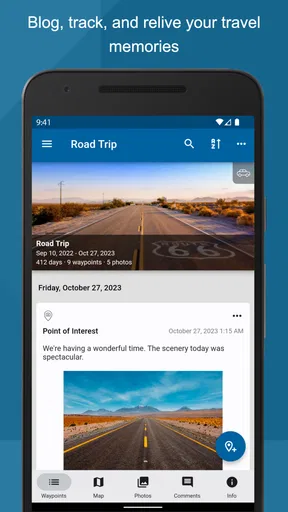
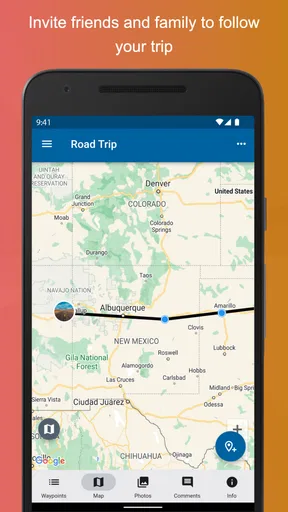
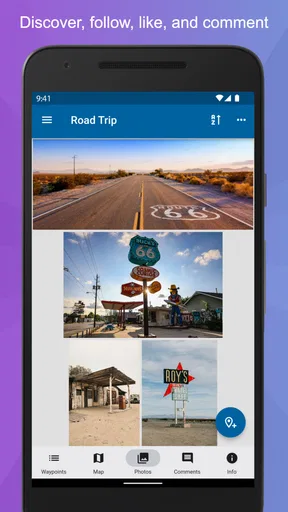
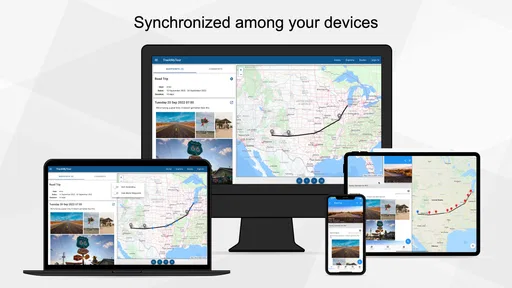
Our Review of TrackMyTour
 Analysis by Appyee
I approached TrackMyTour as a travel companion built around one clear idea: sharing the story of a trip as it happens, rather than keeping the journey hidden inside one person’s phone. That focus makes it more interesting than a simple map viewer, but it also means the app’s value depends heavily on whether you actually want to document and share your route.
In my experience, the most useful way to think about it is as a travel-sharing and tour-booking app from TrackMyTour, not as a complete replacement for maps, hotel apps, or private photo storage. It sits between a personal travel diary and a public or group-facing record of a journey. That distinction matters because someone looking only for turn-by-turn directions may find the experience less direct than using a dedicated navigation service.
The app is free to install, with optional in-app purchases listed at $19.99 per item. It is available for devices running Android 8.0 or later, and its Mature 17+ rating is worth noticing before sharing it with younger travelers. The current release is version 6.3.3, so users should keep the app updated when possible, especially when preparing for a trip.
Sharing a journey is the feature that changes the experience
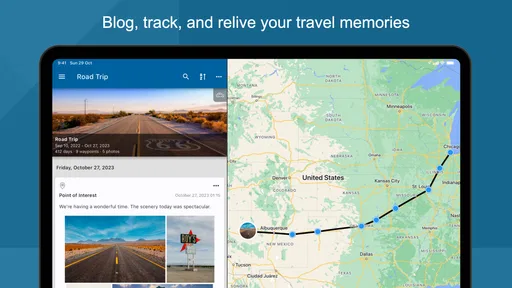
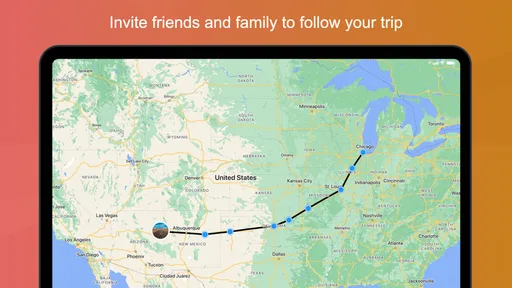
The central capability is not merely recording where you have been. It is turning a trip into something other people can follow. That can be useful when relatives want to see the progress of a long journey, when friends are traveling together but moving at different speeds, or when a traveler wants to preserve a route in a form that feels more alive than a folder of photographs.
That shared perspective changes how I would use the app. I would not open it only to answer the question, “Where am I?” I would open it to create a running account of the trip: where the day began, which stops mattered, how the route unfolded, and what another person might want to understand later. The difference sounds small, but it affects what information you choose to record and how often you return to the app.
A normal map application is usually designed around an immediate task. You search for a place, calculate a route, or check your position. TrackMyTour feels more appropriate when the journey itself is the subject. That makes it a better fit for road trips, walking tours, multi-stop holidays, and group travel than for a quick commute across town.
The travel-booking side also gives the app a broader purpose than a diary alone. I see that as a practical bridge between planning and sharing: a person can think about a tour as an organized experience, then use the app to keep the journey connected to the people following it. I would still compare any booking details carefully with the provider’s own information before committing money, but the combined travel focus is useful for people who dislike jumping between several unrelated tools.
What the shared format changes for travelers
Sharing a route can reduce the number of separate updates a traveler has to send. Instead of writing the same message to several people, the journey can become one continuing reference point. That is particularly helpful during a long day when the traveler is busy, tired, or dealing with unreliable attention. A friend or relative can check the shared progress rather than waiting for a fresh message after every stop.
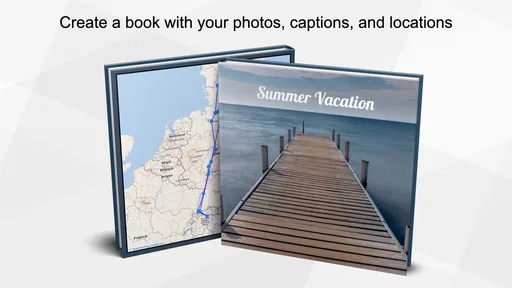
There is also a memory benefit. A sequence of locations gives photographs and notes a sense of order. A beach picture, a museum visit, and a late meal become part of a route instead of disconnected moments. I find that more valuable for trips with many short stops, where it is easy to forget which day included which place.
The trade-off is that sharing makes the trip less private. Even when the intention is harmless, a route can reveal patterns about where someone is staying, when they are away, or which places they visit repeatedly. I would decide in advance who genuinely needs access and avoid treating public sharing as the default. The app is strongest when the audience is intentional.
How I would use it during an actual trip
I would begin before leaving, while the plan is still simple. First, I would decide what the journey is meant to communicate. Is it a live update for family, a record for friends traveling with me, or a personal tour log that I may share later? That decision prevents the common mistake of recording everything without knowing what the finished story should contain.
For a multi-day trip, I would separate the journey into meaningful stages rather than treating it as one endless stream. A departure day, a transfer between cities, and a day spent exploring can each have a different purpose. This makes the shared record easier to follow and helps viewers understand whether a new location is a planned stop or simply part of the route between two destinations.
I would also use a short, consistent habit after each important stop. Rather than waiting until night, I would take a moment while the details are fresh to identify the place and add the context that another person would otherwise miss. The useful detail is not always a long description. A simple explanation of why the stop mattered can be more helpful than a large collection of uncaptioned entries.
One of the less obvious strengths of this workflow is that it encourages deliberate stops. When every location becomes part of a shareable tour, I am more likely to distinguish between a place I merely passed and a place worth remembering. That can make a busy itinerary feel less chaotic. It also helps when reviewing the trip later, because the route reflects decisions rather than every accidental movement.
For a group journey, I would agree on one person responsible for maintaining the main tour record. If everyone edits or reports independently, the story can become confusing, with repeated locations and inconsistent descriptions. Other travelers can contribute information separately, but a single editor or organizer keeps the route readable. This is a practical limitation of shared travel tools in general, and planning around it makes the app more useful.
A realistic example would be a family road trip where one person drives, another manages the shared tour, and relatives at home want occasional updates. The person at home does not need a dozen separate messages. The traveler can keep the route organized around the major stops, while the family follows along at a comfortable pace. If a plan changes, the shared record can reflect the new direction instead of leaving everyone with an outdated itinerary in a chat thread.
For that scenario, I would avoid trying to make the app do everything. I would use a conventional navigation tool for driving instructions, a booking service for confirmations, and TrackMyTour for the journey’s shared narrative. That division of labor is more reliable than expecting one travel app to replace every specialized tool.
Practical habits that make the record clearer
I would keep names and descriptions consistent. If one stop is labeled with a full place name and another uses an unexplained nickname, people following the route may lose the thread. I would also avoid adding a location simply because the app makes it easy. A shorter, meaningful tour is usually more useful than a complete trace filled with insignificant pauses.
Another useful habit is to review the route at the end of each day. This is not just housekeeping. It gives the traveler a chance to notice missing context, confusing order, or a stop that should remain private. Correcting the record while the day is still familiar is easier than reconstructing it after returning home.
I would also treat the shared tour as a communication aid, not an emergency channel. Travel conditions can interrupt access, and no sharing tool should be the only way family members know that a traveler is safe. For urgent situations, ordinary direct communication and local emergency services remain more appropriate.
Where the app feels strongest—and where it feels limited
The strongest use case is a journey with a beginning, middle, and end. A planned tour, a road trip, or a walking route has a natural narrative. The app’s sharing focus gives that narrative a practical audience. It becomes especially appealing when people who are not physically present still want to understand the trip without receiving constant individual updates.
It is less convincing for isolated travel tasks. If I only need to find a restaurant, compare transport options, or navigate an unfamiliar street, a dedicated local-search or navigation app is likely faster. TrackMyTour makes more sense when the route itself has value and when I am willing to spend a little attention shaping it.
The free entry point is helpful because it lowers the barrier to trying the service, but the optional purchases require a sensible approach. I would explore the basic workflow first and decide whether the sharing and tour features fit my habits before paying for anything. A person who only takes occasional short trips may not gain enough from paid extras, while a frequent traveler who keeps organized tour records may see more reason to invest.
The Mature 17+ rating also affects who I would recommend it to. I would not assume that the app is suitable for children simply because the subject is travel. Parents or guardians should check the app’s age suitability for their situation, particularly if sharing locations or travel details is involved.
The public reception is mixed rather than overwhelming. The app holds an average rating of 3.4 from roughly a few dozen ratings, with only a small number of written reviews. I would read that as a reason to test it personally instead of treating the score as a final verdict. A travel-sharing app can be excellent for one type of traveler and unnecessary for another, so the fit matters more than a single average.
Its install base is in the tens of thousands, which suggests that it is established enough to be discoverable but not so widespread that every travel companion will already know how to use it. If I invited friends or relatives to follow a tour, I would explain the purpose clearly and give them a simple expectation: this is where the journey is being organized, not necessarily a replacement for every message or map they already use.
Another trade-off is attention. Recording a trip can enrich the memory, but it can also pull the traveler toward the screen. I would set a rule that the app is updated at safe, natural pauses rather than while walking through traffic, driving, or trying to enjoy an important moment. The best shared record should support the trip, not dominate it.
When another option is the better choice
I would choose a standard map app when accurate navigation is the priority. I would choose a private notes or photo app when the journey is personal and no one else needs to follow it. I would choose a messaging group when the trip is informal and the main need is quick conversation. TrackMyTour earns its place when I want a structured travel record that other people can follow without the route becoming lost among unrelated chat messages.
That comparison is important because the app’s value is not universal. It does not need to win every travel task. Its advantage is the combination of a tour-oriented record and sharing. If neither of those matters to me, adding another app may create more friction than convenience.
Who will get the most from TrackMyTour?
I would recommend it most to people who enjoy organized travel stories: road-trip planners, walking-tour participants, families sharing a holiday with relatives, and travelers who want their route to remain understandable after the trip ends. It is also a reasonable choice for someone who regularly coordinates a journey for a group and wants one central place for the tour’s progression.
I would be more cautious with solo travelers who prefer complete privacy, people who want only navigation, and users who dislike maintaining a record while they travel. Those travelers may find a map, a private journal, or a messaging tool more natural. The app asks for a little participation, and that effort only pays off when the shared result matters.
Before installing it, I would answer three questions. Do I want other people to follow the trip? Am I willing to organize the journey around meaningful stops? And would a shared tour be more useful to me than a map history or group chat? If the answer is yes to all three, the app has a clear role. If not, its extra structure may feel unnecessary.
My final view is favorable but specific. TrackMyTour is not compelling because it promises to replace every travel tool; it is compelling because it gives a journey a shared shape. The developer, TrackMyTour, has focused the experience on travel sharing and tours, and that focus can make a real difference for group trips and family updates. I would start with the free version, establish a simple recording routine, keep private details under control, and use a dedicated navigation app alongside it. Used that way, it becomes a thoughtful companion for documenting where a trip goes and why each stop belongs in the story.
Verdict
Strengths of TrackMyTour
- Simple interface makes trip tracking easy for first-time users.
- Useful for sharing your current location with friends or family.
- Helps organize visited places and preserve a visual travel history.
- Can make group trips easier to coordinate during sightseeing.
- Supports more confident travel by keeping route details accessible.
Limitations of TrackMyTour
- Location tracking may drain the battery during long journeys.
- Accuracy can vary indoors or in areas with weak GPS coverage.
- Some features may require an internet connection while traveling.
- Continuous location access raises privacy concerns for some users.
- The app may feel unnecessary for travelers who prefer manual planning.
Similar Picks in This Category
View All
Google Maps
Google LLC3.4

Google Maps Go
Google LLC4.1

Booking.com: Hotels & Travel
Booking.com Hotels & Vacation Rentals4.8

Google Earth
Google LLC3.8

Skyscanner Flights Hotels Cars
Skyscanner Ltd4.8

trivago: Compare hotel prices
trivago N.V.4.4
Frequently Asked Questions
What is TrackMyTour and who is it designed for?
TrackMyTour is a travel-tracking application designed to help users record and share journeys, trips, tours, and outdoor adventures. It can be useful for solo travelers, families, tour groups, schools, and friends who want others to follow their route. Before downloading, keep in mind that its usefulness depends on reliable GPS access, mobile connectivity, and how actively you update or share your trip information.
Does TrackMyTour work without an internet connection?
TrackMyTour may continue recording location information when mobile data is unavailable, depending on your device settings and the app version, because GPS positioning does not always require an internet connection. However, maps, synchronization, and sharing normally require data access. It is a good idea to open the relevant maps beforehand, keep your phone charged, and synchronize your trip whenever a stable connection becomes available.
Can I share my trip or follow someone else’s journey?
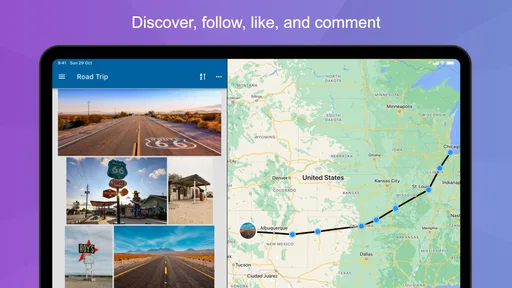
One of TrackMyTour’s main purposes is to make travel progress easier to share with other people. Users can generally create a tour, add location updates or notes, and provide access to selected followers through a tour link or sharing feature. Check the privacy options carefully before publishing, because shared routes may reveal your current or previous locations to anyone who receives the link.
Does TrackMyTour constantly use GPS and drain the battery?
Because TrackMyTour is built around route and location tracking, using GPS for extended periods can consume more battery than ordinary apps, especially when the screen remains active or the phone is also using mobile data. Battery performance varies by device, signal strength, tracking frequency, and permissions. For longer trips, reduce screen brightness, carry a power bank, and review background-location settings.
Is TrackMyTour free to download, and are there any privacy concerns?
TrackMyTour may be available to download without an upfront charge, although particular features, platform policies, or future versions can differ. The most important consideration is location privacy: the app may request access to GPS data, and some functions may involve storing or sharing travel information. Before creating a public tour, read the current privacy policy and only grant permissions that are necessary for your intended use.
